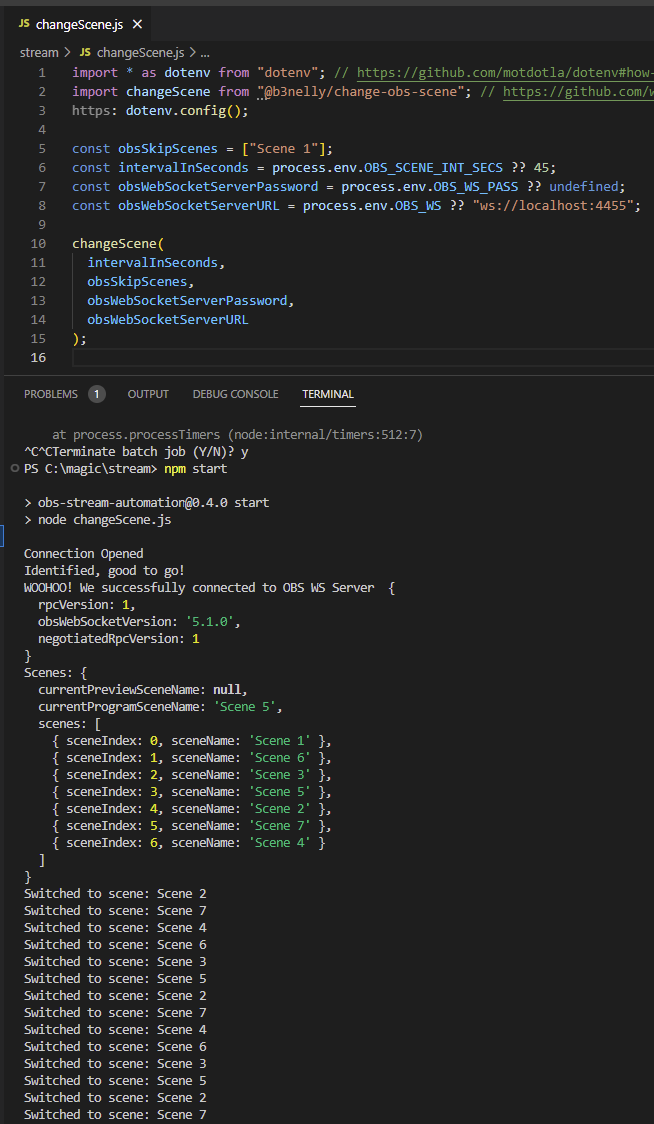
Using Node.js and @b3nelly/change-obs-scene package for dynamically switching scenes in OBS.
See Automations in action @ breaking3Dreality on Twitch.tv
More automates to come!
- Startup OBS and enable the WebSocket Server
Tools > WebSocket Server Settings:
- Don't forget to set your Server Password

git clone https://github.com/b3nelly2/obs-stream-automation.gitcd ./obs-stream-automationnpm install- Create .env file and add your OBS WebSocket Server Settings:
- Windows Powershell:
New-Item .env -ItemType File
>> "OBS_WS='ws://localhost:4455'" | Out-File -FilePath .env -Encoding utf8 -Append
>> "OBS_WS_PASS='yourPassword'" | Out-File -FilePath .env -Encoding utf8 -Append
>> "OBS_SCENE_INT_SECS=90" | Out-File -FilePath .env -Encoding utf8 -Append
- macOS & Linux:
touch .envecho "OBS_WS='ws://localhost:4455'" >> .env echo "OBS_WS_PASS='yourPassword'" >> .env echo "OBS_SCENE_INT_SECS=90" >> .env
- Or you can just edit the
changeScene.js, manuallying update:obsSkipScenes: Default is an empty arrayintervalInSeconds: Default is 45sobsWebSocketServerURL: Default is ws://localhost:4455obsWebSocketServerPassword: Default is undefined- You can also comment out
dotevnif you aren't using an.envfile- Lines 1 and 3:
obs-stream-automation/changeScene.js
Lines 1 to 8 in 936e520
npm start(OBS must me started to work)- That's it, for now 😉