Control an RGB LED by sending serial messages to an ATmega microcontroller based on your current Microsoft Teams status.
See https://github.com/wesleytabaka/RGBStatusLight for the code for the microcontroller.
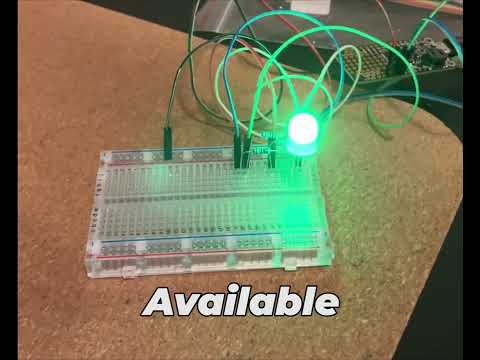
View on YouTube
- SOLID: LED is steady on the primary color.
- BLINK: LED is steady on the primary color then steady on the secondary color.
- FLASH: LED fades between the primary and secondary color.
- PULSE: LED is fully on primary color then fades to secondary color.
- CYCLE: LED cycles through all the colors.
(Enum) Transition
- NOW: Change color immediately
- FADE: Change color gradually.
(Class) Indicator : IIndicator
Handles writing to and reading from SerialPort.
- Creates an Indicator instance representing the LED driver (Indicator) using serial port named portname.
- Instructs the LED driver to change the RGB LED to the new color/effect/transition, instruction.
(Class) IndicatorInstruction : IIndicatorInstruction
- Creates a new IndicatorInstruction instance with the primary color, secondary color, effect, and transition settings above.
- Creates a new IndicatorInstruction instance with the color, effect, and transition settings above.
- Creates a new IndicatorInstruction instance with the color settings above, SOLID Effect, NOW Transition.
- Creates a new IndicatorInstruction instance with all LEDs off, SOLID Effect, NOW Transition.
- Helper method to deserialize the IndicatorInstructionMapping from the appsettings.json file.
- Creates a new Presence instance, representing the state of your Teams status. Two instances of this class track your previous status and current status. When the presence changes, we call the Equals method below to see if the Presence is different.
- Updates the presence instance.
- Updates the presence instance.
- Returns this object.
- Compares the activity and availability fields to another Presence instance, returning true if the same, false if different.
(Entry point) Program
(Class) TeamsStatus : ITeamsStatus
- Creates new TeamsStatus instance representing your Teams status based on your Teams log files.
- Determines your Teams presence based on log files. Gets the latest log file based on the timestamp in the filename and gets the latest status matching a regular expression pattern.
See appsettings.json
Set this to the COM port to which the microcontroller is attached.
How often to check your Microsoft Teams status in milliseconds.
Customize the color, secondary color, transition, and effect for each Teams status. This section of appsettings.json is deserialized into instances of IndicatorInstruction. See IndicatorInstruction.cs
If a secondary color is not defined, it will be defaulted to off/0.
The following IndicatorInstructions are defined for Teams statuses:
- Unknown
- Not an official Teams status. Is used when an exception is encountered getting your Teams status. If you'd rather the LED just turn off in this case, change all color components to 0 and set effect to SOLID in the "Unkown" section of IndicatorInstructionMapping in appsettings.json.
- Off
- Not an official Teams status. For future use if we need to just turn everything off.
- Offline
- Available
- Busy
- DoNotDisturb
- BeRightBack
- Away
Fork this repo and create a pull request. Thank you for your interest!