Vim is an open source, cross-platform text editor available on most Unix-like systems. These are my settings for your daily use.
Vim es un editor de texto de código abierto, multiplataforma, disponible en la mayoría de sistemas tipo Unix. Éstas son mis configuraciones para su uso diario.
We are using a plugin that requires a version of vim compiled with python enabled, so we use the vim-nox version for Debian
Estamos usando un plugin que requiere de una version de vim compilada con python habilitado por ello usamos la version vim-nox para Debian
RPM based linux systems - sistemas linux basados en RPM
Use the package manager dnf to install vim, git and ctags.
dnf install vim
dnf install git
dnf install ctags
Alpine linux
Use the package manager apk to install vim, git and ctags.
apk add tmux
apk add git
apk add ctags
Debian / Ubuntu - linux
Use the package manager apt to install vim, git and ctags..
apt install vim-nox
apt install git
apt install exuberant-ctagsWe are going to clone this repository in the current user's folder, a non-root user is recommended
cd ~
git clone https://github.com/whohe/.vim
ln -s .vim/vimrc .vimrc
cd .vim
git submodule update --init --recursiveWe can open any text file using vim command as follows.
vim filename.vimThe most important plugins that are being used in this projects are:
Los plugins mas importantes que estan siendo usados en este proyectos son:
- vim-pathogen Engine that provides a directory structure for the use of plugins, just clone the new plugin in the .vim/bundle/newPlugin folder and it would be working.
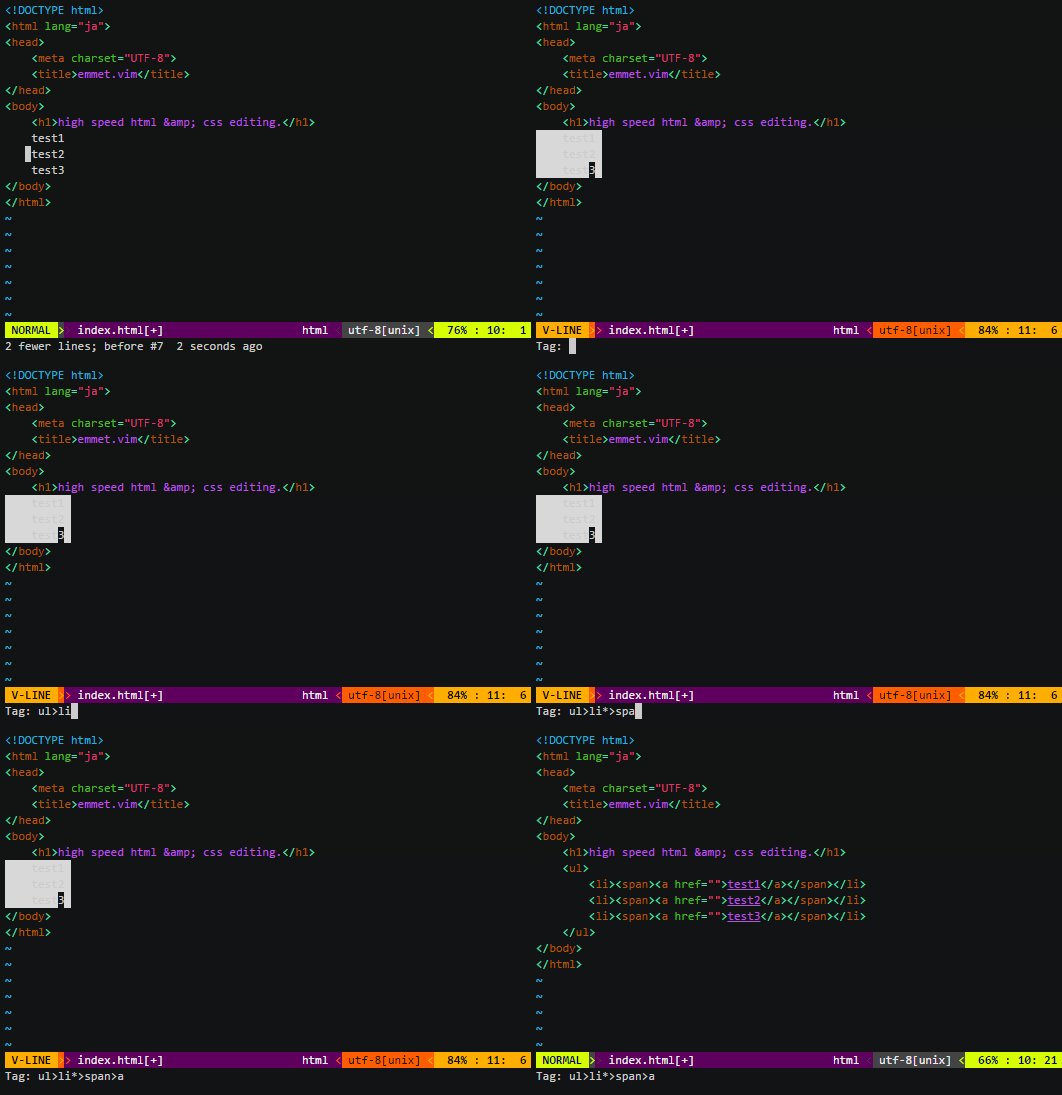
- emmet-vim Provides support for expanding abbreviations similar to emmet
- MatchTagAlways Highlights the XML/HTML tags that enclose your cursor location.
- nerdcommenter
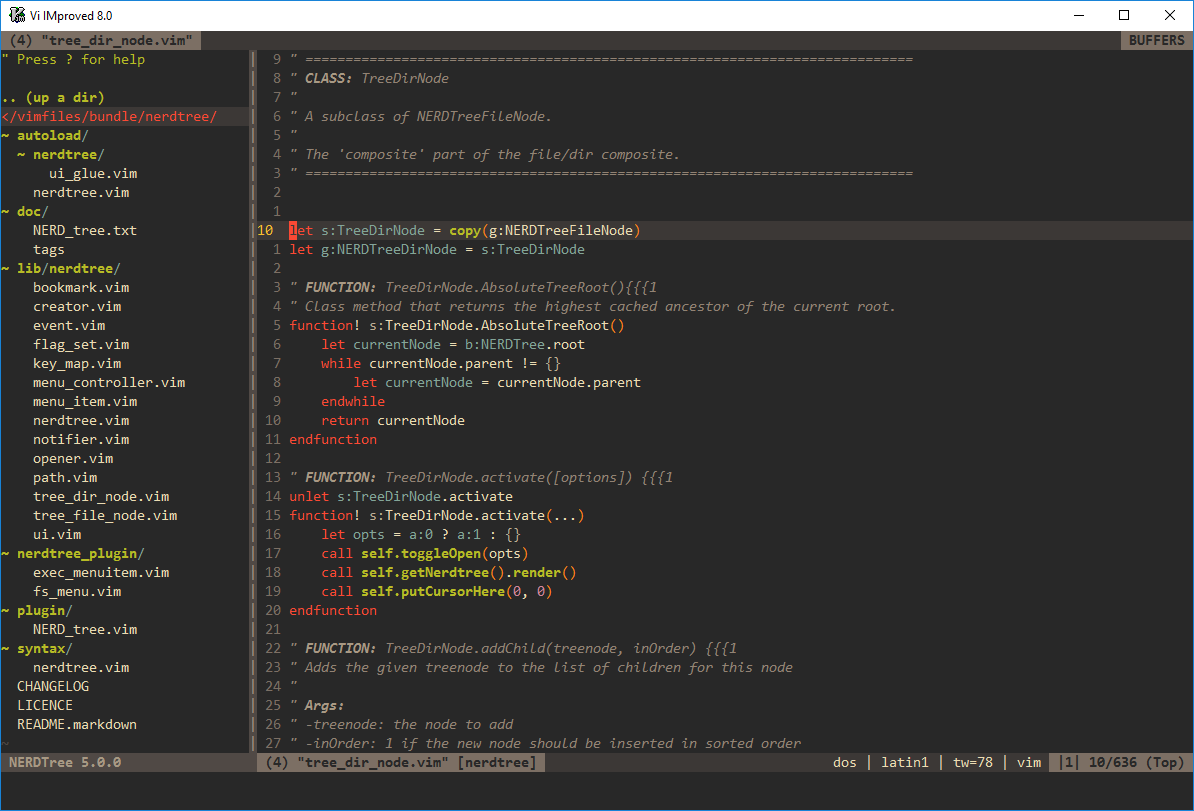
- nerdtree File system explorer for the Vim editor
- tagbar Provides an easy way to browse the tags of the current file and get an overview of its structure.
- typescript-vim
If you had problems getting vim with precompiled python, you can remove the MatchTagAlways plugin as follows to continue without any warning messages.
Si tuviste problemas para obtener vim con python precomplidao, puedes eliminar el plugin MatchTagAlways de la siguiente manera para seguir sin ningun mensaje de advertencia.
rm -rf .vim/bundle/MatchTagAlways/Pull requests are welcome. For major changes, please open an issue first to discuss what you would like to change.
Please make sure to update tests as appropriate.