
Syncplay - The Unofficial Mobile Client (for Android and iOS)




Syncplay comes bundled with multiple built-in video players (on Android and iOS).
The Google Play store release is not always up-to-date. Please download the APK from our GitHub releases preferably.
Note: The IzzyOnDroid Android release is a lite APK containing only ExoPlayer video engine.
You can follow my iOS guide to install the app on your iPhone/iPad (works for both non-jailbroken and jailbroken devices).
- Introduction
- Features
- How to use
- Capabilities
- Architecture
- FAQ
- Feedback
- Build Process
- Acknowledgments
- License








Syncplay Mobile is a unofficial Syncplay client brings the remarkable functionality of Syncplay PC client to the mobile platforms (Android and iOS). You can synchronize media playback with your friends, allowing you to watch videos together, even when you're physically apart.
It includes real-time chat functionality, enabling seamless communication while enjoying synchronized playback on your Android or iOS device. You can use Syncplay Mobile with your friends who also use Syncplay Mobile, or Syncplay on PC.
Requires at least Android 7.0 Nougat or iOS 14.0
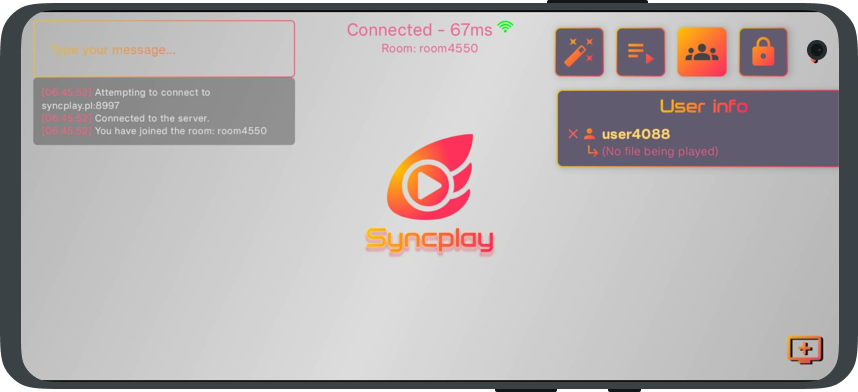
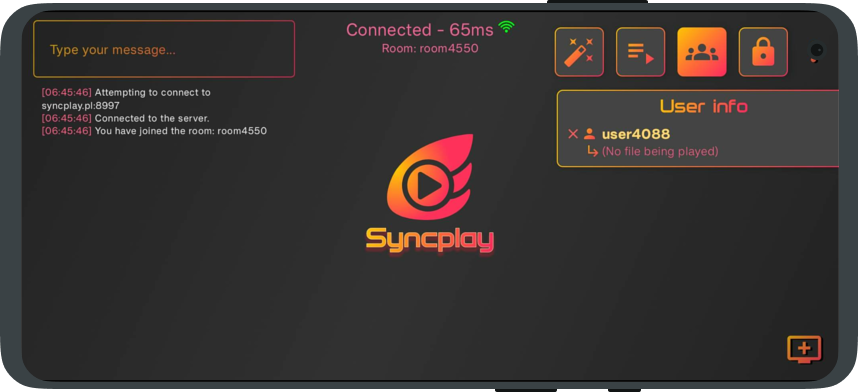
- Seamless compatibility with Syncplay's official PC client.
- Offers the same core functionality as Syncplay for PC, with a meticulously rewritten Syncplay protocol from Python to Kotlin.
- Bundled with multiple video players with varying capabilities.
- Real-time colorful chat functionality, including support for emojis.
- Extensive range of settings and preferences for customization.
- Multi-language support.
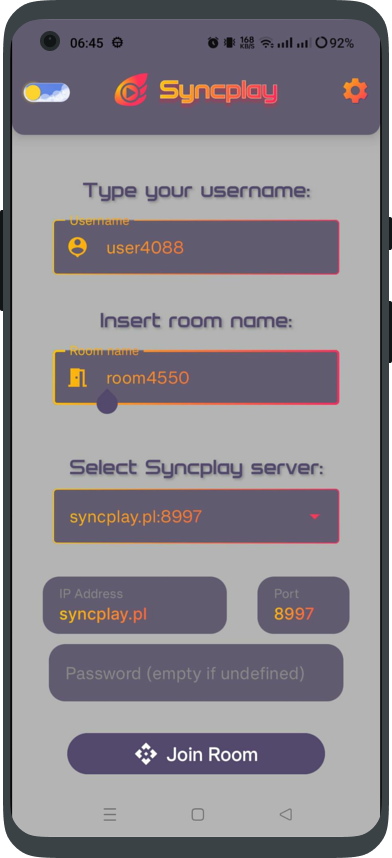
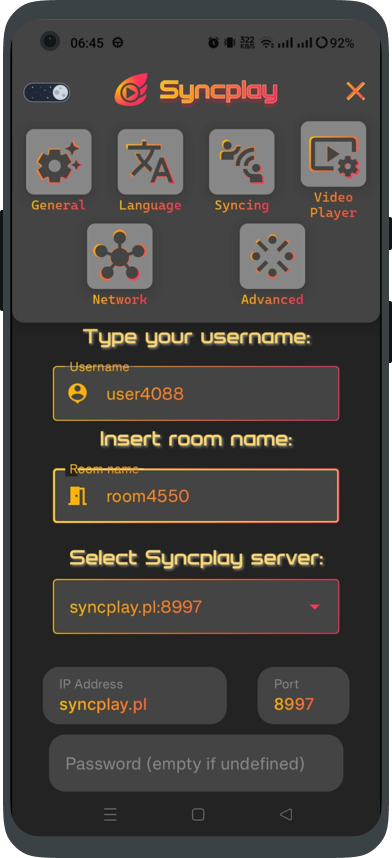
Usage on Android is fairly simple:
- Download the latest release APK from here.
- Install the APK. If any installation issues arise, uninstall the previous version of the app before installing the new one.
- Open Syncplay. Specify a username of your choice, a room name of your choice (Tell your friends about it). Select a server from the list (Tell your friends about this one too)
- Click "Join Room". You will be taken to the Room screen. You're all set. Tell your friends to join the same room and server.
- ...and that's it. Load the same video file as your friends and enjoy the synchronized playback.
The iOS version cannot be distributed in package format (like Android's APKs). The only ways to install an app on iOS are to either use AltStore (as explained in the iOS guide), or compile this project by yourself on your macOS.
The UI on both Android and iOS are 99.9% identical, minus some differences due to platform-specific behavior. This chart table will demonstrate things that work, and things that do not work, on each platform and video player.
| Feature | Android | iOS |
|---|---|---|
| Chat | ✔ |
✔ |
| Managed Rooms | ✔ |
✔ |
| Settings & Preferences | ✔ |
✔ |
| Shared Playlists | ✔ |
✔ (Untested) |
| Video players | - mpv (Default) - ExoPlayer - VLC |
- VLC (Default) - AVPlayer |
| Supports TLS | ✔ (Netty) |
✔ (SwiftNIO) |
| Picture-in-Picture (PIP) mode | ✔ |
✔ (only AVPlayer) |
| Can save shortcuts | ✔ |
✔ (Unstable) |
Some video players are more potent than others in certain areas. Here's a general overview to help you quickly pick the best contender
| Feature | mpv Android |
ExoPlayer Android |
VLC Android |
AVPlayer iOS |
VLC iOS |
|---|---|---|---|---|---|
| Supported formats |
Most formats (including mkv and HEVC) | Depends on device capabilities | All formats | Depends on device capabilities | All formats |
| Stability with Syncplay | Stable (recommended) | Mildly Stable | Experimental | Broken (for now) | Alpha |
| Supports Subtitles (including sideloaded ones) | Best (via libass) ✔ |
Basic support | ✔ |
No |
✔ |
| Can play from URLs/URIs | ✔ |
✔ |
✔ |
✔ |
✔ |
| Supports Chapters | ✔ |
No |
✔ |
No |
✔ |
- UI: Compose multiplatform
- Architecture: modular, manager-scoped (mostly MVVM)
- Network backbone: Netty (Android), SwiftNIO (iOS) and Ktor (both)
- Preferences: Jetpack Datastore
- Integrated media players: Android: Exoplayer (via media3) - mpv (via libmpv) - VLC (via libVLC) iOS: AVPlayer (via AVFoundation) - VLC (via MobileVLCKit)
If my friend uses Syncplay on PC, can I watch with them ?
- Yes, you can. Syncplay Mobile is made to be interoperable with official Syncplay on PC because it implements the same protocol and the same servers and features.
On Android, I get an error saying "App not installed" upon installing the app. What's wrong ?
- Seems like the app can't be updated. Freshly install it: Uninstall the older version before installing the new one.
Where is the iOS release ?
- The app is not on the Apple app store. However, you can sideload the app via
AltStore(see iOS guide) if you have a normal non-jailbroken iPhone/iPad. - If you have a jailbroken device, simply sideload the latest
.ipafile which you will find attached to every release.
Syncplay is available in the following languages :

- Thanks to @Zhaodaidai for the Chinese (Simplified) translation.
- Thanks to @DoncanC for the Spanish translation.
- Thanks to @ivy-reps for the Russian translation.
- If you want to contribute with a translation in a language that isn't available in Syncplay, or
enhance the actual translations, you can click the image above to go to the Weblate website which is linked to this repository and you can easily add/edit/remove translations. - For more info, please refer to #132
Feel free to file an issue or a feature request.
If there's anything you'd like to chat about, please feel free to open a new discussion.
Requirement: Android Studio Jellyfish or newer. If you want to build the iOS version, you will also need to have Xcode 15.2 or newer. Your Android Studio will need to have the Kotlin Multiplatform Mobile plugin installed.
Simply open the repo project using its GitHub link and build the app. It won't require any further tweaking.
Thanks to Official Syncplay for maintaining and open-sourcing such an
amazing software.
Thanks to Et0h for his amazing hard work on official Syncplay and
for lending a hand in our issues tracker section.
Thanks to soredake for their thorough testing.
Thanks to Osanosa for his valuable contributions.
Thanks to everyone who contributed with translations for the app.
Syncplay for Android is under
the AGPL-3.0 Open-Source License



