



- 2025/11/14: OpenReview version is now available.
- 2025/08/14: arXiv version is now public.
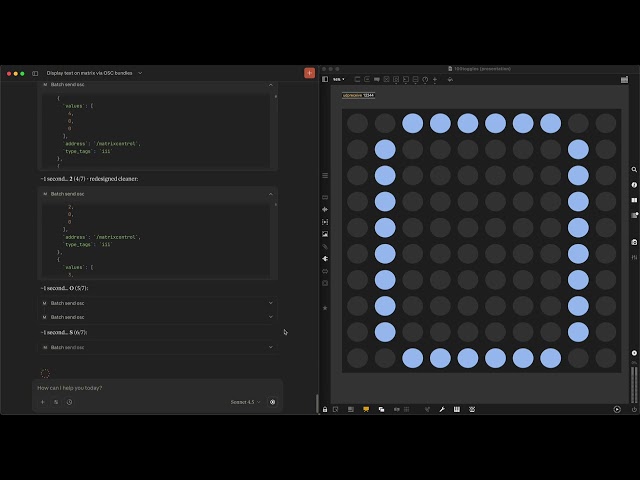
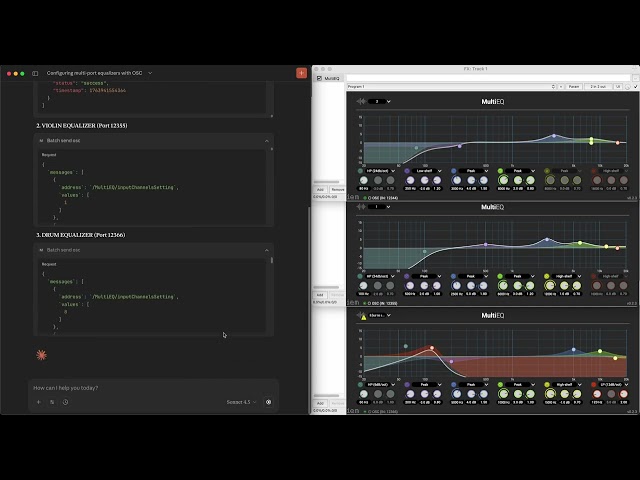
Text prompts enable intuitive content creation but may fall short in achieving high precision for intricate tasks; knob or slider controls offer precise adjustments at the cost of increased complexity. To address the gap between knobs and prompts, a new MCP (Model Context Protocol) server and a unique set of prompt design criteria are presented to enable exploring parametric OSC (OpenSoundControl) control by natural language prompts. Demonstrated by 15 practical QA examples with best practices and the generalized prompt templates, this study finds Claude integrated with the MCP2OSC server effective in generating OSC messages by natural language, interpreting, searching, and visualizing OSC messages, validating and debugging OSC messages, and managing OSC address patterns. MCP2OSC enhances human-machine collaboration by harnessing a LLM (Large Language Model) to handle intricate OSC development tasks. It empowers human creativity with an intuitive language interface featuring flexible precision controls: a prompt-based OSC tool. This study provides a novel perspective on the creative MCP application at the network protocol level by utilizing LLM's strength in directly processing and generating human-readable OSC messages. The results suggest its potential for a LLM-based universal control mechanism for multimedia devices.
-
Clone the repository
git clone <repository-url>
cd MCP2OSC
-
Install dependencies
npm install
-
Configure your LLM application Add to your Claude Desktop MCP configuration file, usually under "~/Library/Application\ Support/Claude" on macOS. Make sure you update paths accordingly.
{ "mcpServers": { "mcp2osc": { "command": "node", "args": ["/Users/.../MCP2OSC/mcp-server.js"], "cwd": "/Users/.../MCP2OSC", "env": { "OSC_HOST": "127.0.0.1", "OSC_SEND_PORT": "9500", "OSC_RECEIVE_PORT": "9501", "WEBSOCKET_PORT": "8765", "WEBSOCKET_OSC_PORT": "9500", "MAX_OSC_MESSAGES": "2000", "OSC_LOG_ROTATION": "true" } } } } -
Start the LLM application, i.e. Claude desktop application
- Claude desktop application can be downloaded here: https://claude.ai/download
- Restart Claude if you make any change to the claude config json file
- Open the example MaxMSP or PureData patch and try the example prompts in Claude
- Example prompts
- "What MCP tools are available"
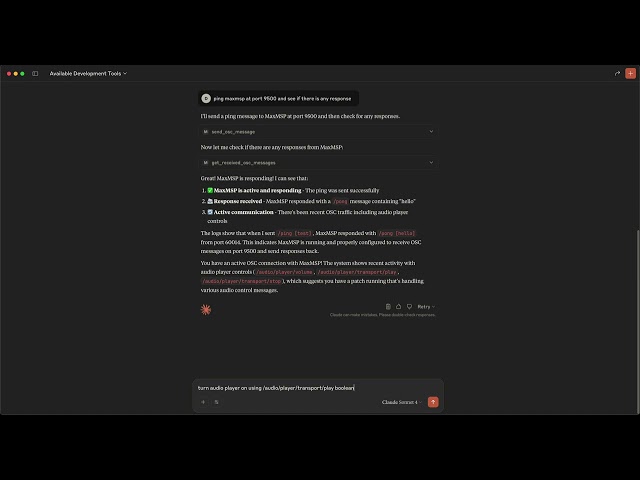
- "Ping MaxMSP at port 9500 then check if there is any response"
- "Check received OSC messages"
- Optionally, start the web dashboard server for debugging
npm run mcp
@inproceedings{
fan2025mcposc,
title={{MCP}2{OSC}: Parametric Control by Natural Language},
author={Yuan-Yi Fan},
booktitle={The Thirty-ninth Annual Conference on Neural Information Processing Systems Creative AI Track: Humanity},
year={2025},
url={https://openreview.net/forum?id=XLdFf7Zarw}
}