16 Player Ship Death
The game looks really cool, but it's not FUN. That's because there's no danger. Let's make it possible for the player's ship to be destroyed.
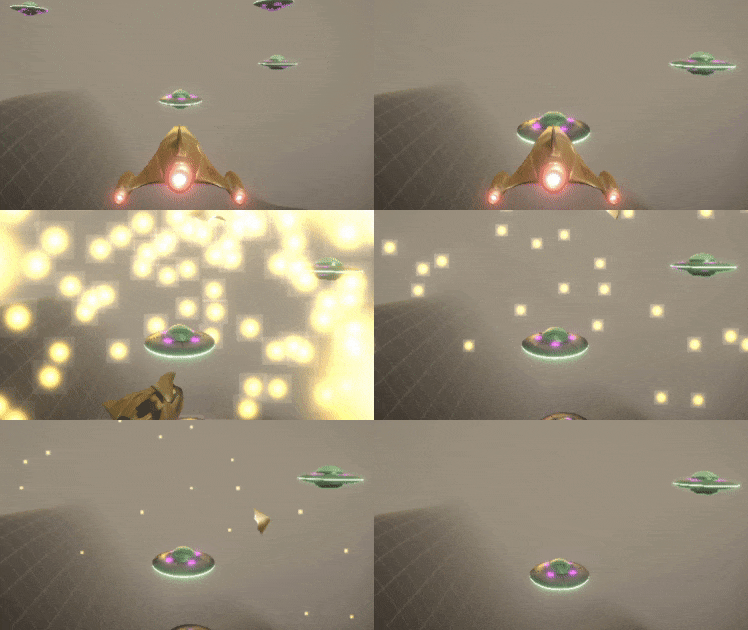
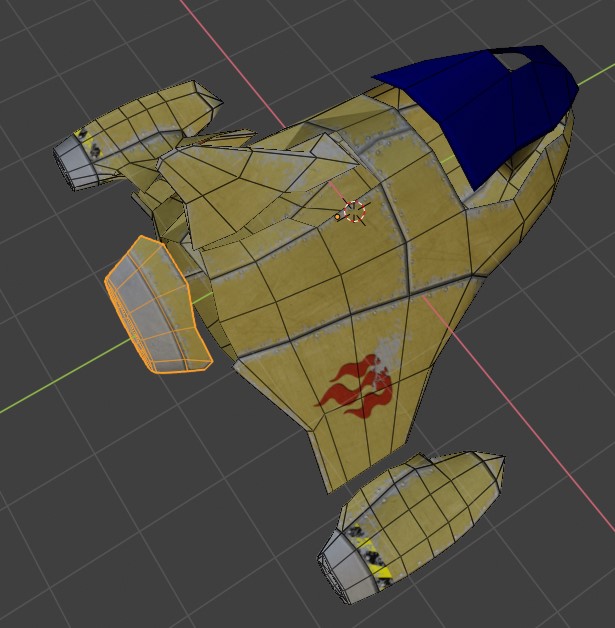
We'll make another 3D model of the player's ship broken up into pieces the same as we did for the UFO.
-
Start Blender and delete the cube, light, and camera.
-
File - Import - Wavefront (.obj) and select \Assets\Models\ShipA\shipA_OBJ.obj and press the Import OBJ button.
-
Adjust your view so you can see the whole ship, change the viewport to display a shaded view, turn on X-Ray mode
-
TAB to get into edit mode and press SHIFT + D then ENTER to duplicate all of the selected faces. Then press SPACE and type Flip Normals and ENTER so we have faces on the inside of the ship.
-
ALT + A to deselect and start selecting faces to break into their own separate meshes
-
From the File menu select Export - FBX and choose your _\Assets\Models\ShipA_ folder and give it a name of ShipAChunks
-
Back in Unity, find this model and change the scale to 1/6
-
In the model's Import Settings - Materials tab remap to our upgraded ship material, and press Apply
-
Create a new Empty in your Hierarchy and name it PlayerChunks. Drag this into your Prefabs folder, and delete it from the Hierarchy.
-
Open the new prefab and reset its Transform
-
Drag in a ShipAChunks model, and set the Rotation - Y to 180 to be consistent with the player ship model
-
Select all of the meshes inside the model (but not the model itself), and do Add Component - Rigidbody and Add Component - Box Collider.
-
On the PlayerChunks object add a UFO Explode script. This will also work for the player. It just needs a position. You can select the ShipAChunks mesh as the position. Set the Explosion Force to 40 and the Explosion Radius to 1
We already have these things on the UFO prefab, so we'll just copy them and make some adjustments.
-
Open the UfoChunks prefab and in the Inspector scroll down to the Audio Source. Click on the gear icon on the top right of this component and select Copy Component
-
Open the PlayerChunks prefab and in the Inspector in the Transform component click the gear icon again, and choose Paste Component As New
-
Back in the UfoChunks prefab, do the same to copy the Particle System component this time.
-
Past Component As New back in the PlayerChunks prefab.
-
Open the Particle System's Shape settings and change the Position - Y to 0 to align with the center of the player ship.
-
Up in the general particle system settings change Start Lifetime to 4 so this will be a longer explosion in time so it's more dramatic.
-
Change the Stop Action to None, since if we destroy this, the screen is going to just go black.
When the player dies, we need to replace the Player object in the scene with the PlayerChunks object. Since the Player is what has the camera, we're going to need another camera in PlayerChunks to take over giving us something to see.
-
Open the Player prefab and find the Main Camera. Rename this to PlayerCamera
-
Drag this into the Prefabs folder
-
Open the PlayerChunks prefab and drag a PlayerCamera into it.
-
Open the Player prefab and add a Die script component. Set the Chunks Prefab to PlayerChunks
The player now has a way to die (be replaced by a PlayerChunks object), we now want to make this happen when the player collides with something. We could later also have other things that cause a player death, like a laser blast raycast. For now, let's just do a simple collision check. If the player collides with anything (even a UFO chunk), the player dies. We can change this to be more selective later.
-
Create a new Script component called PlayerCollision
-
Delete the Start() and Update() functions. And add a function that handles collision events as below
 private void OnCollisionEnter(Collision collision)
 {
     GetComponent<Die>().DieNow();
 }
Play it now, and feel the danger! oooohhhhh....
We don't want the player to die for EVERY collision. Some things shouldn't damage it such as humans and destroyed UFO chunks. For this, we'll tag the things that we want to cause damage.
-
Open the UFO prefab and at the top of the Inspector drop down the Tag option and choose Add Tag
-
In the Tags list press the + button and for Tag Name type in Enemy.
-
While we're here, create another tag for Terrain
-
Select the UFO prefab again to get out of the tag editor.
-
Now select the Enemy tag for the UFO prefab.
-
Open the Assets/Terrain/Land prefab and select the Terrain object inside it because this is what has the collider. Set the tag of this to Terrain
-
In the PlayerCollision script, we'll now check the tag of what the player collided with. Change the collision check function
 private void OnCollisionEnter(Collision collision)
 {
     switch(collision.gameObject.tag)
     {
         case "Enemy":
         case "Terrain":
             GetComponent<Die>().DieNow();
             break;
         default:
             Debug.Log("Ship collision with: " + collision.gameObject.name);
             break;
     }
 }
This means we're switching on the tag of what we collided with. If that tag is either "Enemy" or "Terrain" then the ship dies. Otherwise we just write the name of the other object to the debug log.